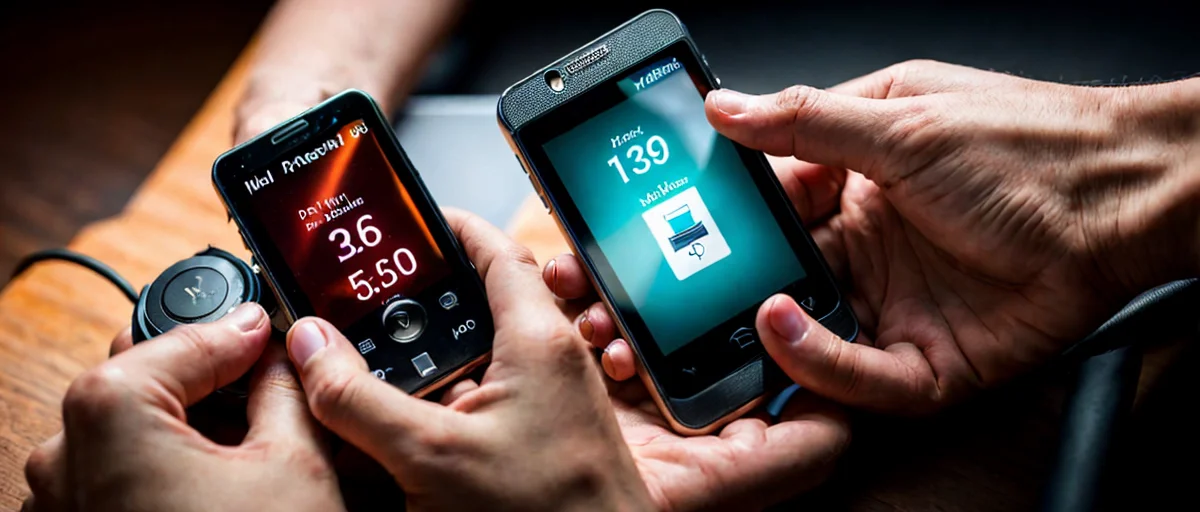
PWA Sense Bridge provides privacy-first access to mobile motion sensors for Progressive Web Apps, enabling LLM integration with real-world data across Android and iOS.
Progressive Web Apps have become a powerful alternative to native apps, offering offline capabilities, push notifications, and fast loading times. However, one area where PWAs have lagged is access to device sensors. Motion data from accelerometers and gyroscopes enables compelling features like step tracking and augmented reality. But fragmented APIs and privacy concerns have hindered adoption. Enter PWA Sense Bridge, a JavaScript library that provides privacy-first access to mobile device motion sensors for Progressive Web Apps. It is specifically designed to enable LLM-powered PWAs to leverage sensor events across Android and iOS.
The web platform offers the DeviceOrientation and DeviceMotion APIs, but they come with significant caveats. On iOS, these events require explicit permission via DeviceOrientationEvent.requestPermission(), and the permission state resets after each session. On Android, Chrome restricts sensor access to secure contexts and may require user gestures. These hurdles force developers to either abandon sensor features or build native wrappers. For LLM-powered apps that need clean data, this inconsistency is problematic. PWA Sense Bridge solves this by providing a consistent API that handles permissions and data normalization behind the scenes.
PWA Sense Bridge is more than a wrapper. It is built with privacy as a core principle. The library does not store or transmit sensor data unless configured to do so. It provides configurable sampling rates, data filters, and error recovery.
Key features include:
The library is available on npm and GitHub. You can integrate it in minutes.
When building for both Android and iOS, developers must handle different permission workflows. PWA Sense Bridge unifies these into a single requestPermission() method. It detects the platform and applies the correct logic.
bridge.requestPermission({ type: 'accelerometer' }).then(status => {
  if (status === 'granted') {
    bridge.start('accelerometer', handler);
  }
}).catch(err => {
  // handle denial
});
This simplicity reduces development time. The library also includes fallbacks for devices lacking sensors.
Privacy regulations like GDPR require explicit consent for data collection. PWA Sense Bridge embeds these requirements into its core. Every sensor request triggers a permission prompt. Developers can customize the prompt. Data minimization is enforced. If your app only needs accelerometer data, the gyroscope stays off. This reduces battery drain and privacy exposure. The library also supports data anonymization.
As privacy-first mobile sensor APIs become a rising trend, PWA Sense Bridge sets a standard for ethical data handling.
The most exciting aspect of PWA Sense Bridge is its compatibility with LLM workflows. Large language models thrive on contextual information. By feeding real-time sensor data into prompts, developers can create adaptive applications.
For example, a fitness coach PWA could detect exercises and suggest modifications. A navigation app could determine if the user is walking or driving. An AR application could synchronize objects with device movement.
The library outputs data in a consistent JSON format:
{
  "type": "accelerometer",
  "x": 0.12,
  "y": 9.81,
  "z": 0.34,
  "timestamp": 1700000000000
}
This data can be appended to system prompts or used to trigger fine-tuned models. As LLM integration with real-world sensor data is an emerging trend, PWA Sense Bridge positions developers to innovate.
In recent years, browsers have tightened sensor access to protect user privacy. Chrome restricts sensor access on insecure origins. Safari requires explicit permission for motion and orientation. iOS requires user gesture before granting permission. These changes are positive for privacy but create fragmentation. PWA Sense Bridge turns this fragmentation into a unified protocol. It automatically handles the latest permission models. This aligns with the industry movement towards user-centric privacy.
Sensor data can be high-frequency. PWA Sense Bridge allows developers to control the sampling rate to balance accuracy and performance. It provides filtering to reduce noise. The library pauses collection when the app is backgrounded, respecting mobile constraints.
Install via npm:
npm install pwa-sense-bridge
Then initialize:
import PwaSenseBridge from 'pwa-sense-bridge';

const bridge = new PwaSenseBridge({
  sampleRate: 60,
  includeTimestamp: true
});

bridge.requestPermission({ type: 'accelerometer' }).then(() => {
  bridge.start('accelerometer', (data) => {
    // send data to LLM endpoint
  });
});
The library is lightweight and performant. It uses requestAnimationFrame for efficient polling.
The mobile web is evolving. Standards like the Generic Sensor API are maturing, but adoption is still patchy. PWA Sense Bridge fills the gap today. It abstracts the messy details and lets developers focus on building great experiences.
As privacy-first sensor APIs become more prominent, solutions like PWA Sense Bridge will become essential. The ability to integrate with LLMs opens new possibilities for adaptive, context-aware applications.
PWA Sense Bridge addresses a critical gap in the mobile web ecosystem. It provides a unified, privacy-first API for motion sensors across Android and iOS. It simplifies permission handling and enforces data minimization, building trust with users. And by enabling LLM integration, it unlocks innovative use cases for AI-powered PWAs.
For developers looking to incorporate sensor data, PWA Sense Bridge is a valuable tool. It is lightweight, well-documented, and ready for production. Now is the time to experiment with sensor-driven web experiences.
Start with the official GitHub repository, explore the examples, and see how PWA Sense Bridge can transform your next progressive web app.

PWA Sense Bridge is a lightweight JavaScript library that provides a unified, privacy-first API for accessing mobile motion sensors like accelerometers and gyroscopes in PWAs. It handles platform-specific permission workflows and data normalization, enabling developers to reliably use sensor data across Android and iOS without building native wrappers.
PWA Sense Bridge simplifies permission handling by providing a single `requestPermission()` method that automatically detects the user's platform (iOS or Android) and applies the correct logic. On iOS, it triggers the necessary device orientation request, while on Android it ensures the call is made from a secure context with a user gesture. You can also customize the consent prompt to match your app's design.
PWA Sense Bridge is designed with privacy as a core principle. It does not store or transmit sensor data unless explicitly configured to do so, and it encourages data minimization by letting developers request only the specific sensor types they need. Additionally, it provides configurable sampling rates and data filters to reduce unnecessary information collection, giving users more control over their data.
PWA Sense Bridge outputs sensor data as structured JSON with timestamps, which is ideal for feeding into large language models. You can use the library to collect motion data in real time, then pipe that data into your LLM application for tasks like contextual awareness, gesture recognition, or environmental understanding. The clean, normalized format reduces preprocessing overhead.
On iOS, the DeviceOrientationEvent requires explicit user permission, and the prompt may not appear if the app is not running from a secure HTTPS context or if permission was previously denied. PWA Sense Bridge's `requestPermission()` method handles these states and provides error recovery. Make sure your PWA is served over HTTPS and that you call the method in response to a user action, such as a button click, to trigger the prompt consistently.