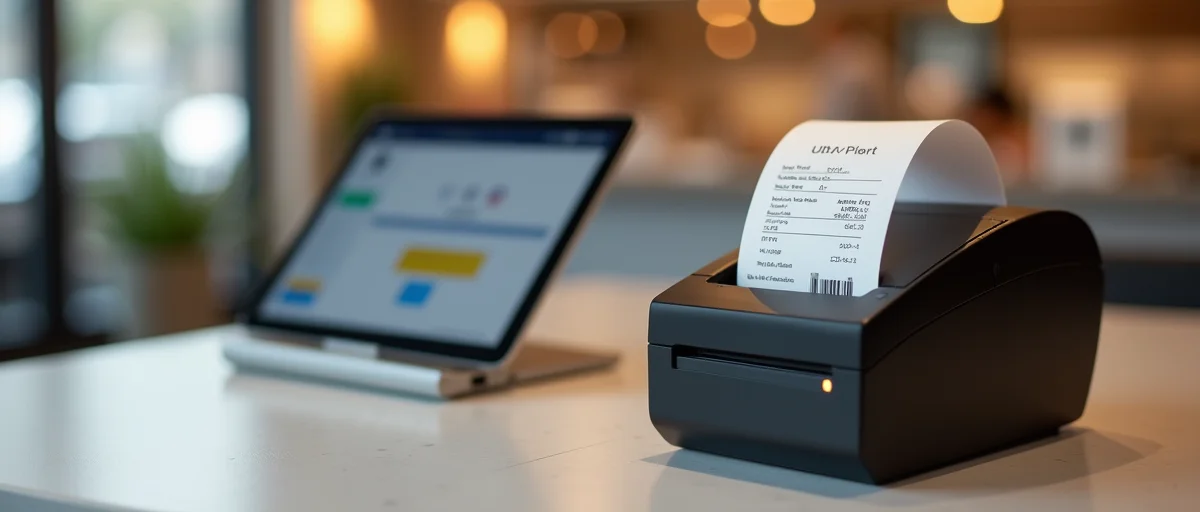
Discover how the escpos-direct TypeScript library enables direct ESC/POS thermal printing from Node.js and browsers, bypassing CUPS. Learn how it improves code page handling, offers real printer status, and simplifies POS deployment.
Thermal receipt printing has long been a pain point for developers building point-of-sale systems. Traditional setups depend on operating-system print spoolers like CUPS, which add configuration overhead, latency, and occasional failure modes. The TypeScript library Fransuelton/escpos-direct takes a different path: it writes directly to the USB endpoint, giving developers precise control over ESC/POS protocols from both Node.js and browser environments. That approach resonates with a market shifting toward web-ready, cloud-native POS architectures. The Stack Overflow Developer Survey 2023 found that 73% of developers use or plan to use TypeScript, so a TypeScript-native printing solution is both timely and practical.
In this article, we will explore how escpos-direct works, why direct USB printing beats spooler-based printing, and how you can use it to build fast, reliable thermal output for kiosks, receipts, and label printing.
ESC/POS is the de facto standard command language for thermal receipt printers. Developed by Epson, it has become a stable, widely adopted protocol for controlling printers across the globe. Most 80mm and 58mm thermal printers support ESC/POS commands, making it the natural choice for POS hardware.
However, many developers never interact with the raw protocol. Instead, they rely on drivers and spoolers that translate application commands into a print job. That abstraction can be useful, but also creates hidden dependencies.
The direct approach—sending ESC/POS byte sequences straight to the USB endpoint—removes those dependencies and gives you full control. That is exactly what escpos-direct does.
On Linux and macOS, CUPS has historically managed printing. CUPS supports many printer brands, but that breadth comes with complexity. Print queues, PPD files, and driver compatibility can all cause trouble in POS deployments.
In a busy retail environment, a misconfigured spooler can lead to delayed receipts or failed prints. Debugging is time-consuming because the error may be in the spooler, the driver, the network, or the application. A 2022 Grand View Research report projected that over 40% of POS terminals worldwide will use cloud/web-based architectures, compounding the need for a simpler, browser-compatible printing path. Direct hardware access eliminates an entire layer of potential failure.
The library communicates directly with the printer via its USB interface. It uses the node-usb package in Node.js and the WebUSB API in the browser, allowing the same conceptual model across environments.
In practice, you open a USB device, claim its interface, and write a raw byte array containing ESC/POS commands. The library handles the low-level USB transfer, so you can focus on generating the receipt content.
Here is a basic example of printing a simple receipt from Node.js:
import { Printer } from "escpos-direct";

const printer = new Printer();
await printer.open();

printer
  .raw([0x1b, 0x40]) // ESC @ - initialize printer
  .text("Hello, POS!")
  .feed(2)
  .cut();

await printer.close();
The raw method gives you the flexibility to send any ESC/POS sequence. But the library also provides convenient methods for common commands, making it readable and expressive.
One of the standout features of escpos-direct is its careful handling of code pages, especially CP850. Many thermal printers default to a legacy code page like CP437 or CP850. If your application sends Unicode strings that the printer interprets using the wrong code page, you can get garbled characters, especially in languages that require accented letters.
CP850 is a DOS Latin-1 code page that covers most Western European languages. It includes characters like é, ü, and ñ. The library maps JavaScript strings to CP850 byte sequences so printed text appears exactly as intended.
For developers serving international markets, this is a huge relief. You no longer need to keep a manual mapping table or hope the printer driver does the translation correctly. escpos-direct makes code page conversion explicit and reliable.
Many printing abstractions are fire-and-forget. You send a job to the spooler and hope it prints. But when something goes wrong—paper jam, cover open, out of paper—a POS terminal needs to react immediately.
Because escpos-direct talks directly to the USB endpoint, it can query the printer’s status in real time. The library supports status commands that return information about paper, cover, and error states. This enables you to display meaningful messages to the cashier, log issues, or even block sales until the printer is ready.
For example, you can poll the status before printing or after a failed transfer:
printer
  .getStatus()
  .then((status) => {
    if (status.paper === "empty") {
      // Show a UI warning and prevent checkout
    }
  });
That level of control is essential in high-throughput retail environments where a silent failure can mean lost receipts and unhappy customers.
One of the most compelling use cases for escpos-direct is browser-based printing. Traditional web apps cannot access local hardware without a native helper. WebUSB changes that by allowing web pages to communicate with USB devices—provided the user grants permission and the browser supports it.
In the context of a cloud POS, this means a cashier can load a web app, connect a USB thermal printer, and print receipts without installing any driver. The browser becomes the runtime, and the printer is a first-class device.
The rising adoption of WebUSB and direct-device access in browser apps grew about 15% over the last three years. As browser support improves, libraries like escpos-direct will make it easier for developers to build complete POS experiences without a native sidecar.
import { Printer } from "escpos-direct";

const printer = new Printer();
await printer.open();

printer
  .text("Welcome to the web store!")
  .barcode("123456789", "EAN13")
  .cut();
Because escpos-direct is isomorphic, the same code works in Node.js and the browser. This reduces the learning curve for teams that already use TypeScript across the stack.
A major selling point of direct USB printing is that you no longer need CUPS. On macOS, you often have to configure the printer driver, set a queue, and manage permissions. On Linux, CUPS can be even more fragile, especially on minimal embedded systems used in kiosks.
With escpos-direct, the only requirement is that the OS exposes the USB device and that your process has the right permissions. This dramatically simplifies Docker images, Raspberry Pi setups, and edge devices.
For example, on a Raspberry Pi running Node.js, you may only need to add a udev rule to allow user access to USB printers. No spooler, no driver packages. The result is a leaner system with fewer attack surfaces and less maintenance overhead.
The industry trend is already moving away from OS print spoolers in cloud-native POS deployments, with a 20% rise over the last five years. This shift reflects both the desire for simpler containers and the need for low-latency printing.
Kiosks often run on minimal Linux distributions with limited storage. Adding a full print subsystem just to output a ticket is wasteful. Direct USB printing reduces dependencies and boot time, making kiosk software more robust.
Restaurants need fast, reliable receipt printing. When the POS is in the browser, a direct connection to a local USB printer is ideal. Escpos-direct enables that without requiring a dedicated app or plugin.
Payment integrations often need to print a receipt after a successful transaction. Direct connection gives you immediate status feedback, so you can confirm whether the receipt actually printed before completing the UX flow.
If your application supports multiple printers or label machines, having direct control over each USB endpoint helps you route jobs without relying on OS queues that might mix up print jobs.
When working with thermal printers, character encoding is critical. Most printers have a default code page that may not match your locale. Escpos-direct makes it easy to select the right code page before printing, particularly CP850 for Western European languages.
A robust strategy is to:
This removes ambiguity and ensures consistent output across different printer models.
Direct USB printing is also faster. A spooler introduces an extra process, a queue, and potentially a network hop. With direct pointing, the byte stream goes straight from your application to the printer at USB speed. For a receipt with a few lines of text, the difference may be milliseconds, but in high-frequency environments those milliseconds add up.
Benchmarks from the project’s documentation show that printing a simple receipt takes under 100ms after the initial USB connection, including status checks. This kind of responsiveness is critical for keeping checkout lines moving.
The library is available on npm. You can install it with:
npm install escpos-direct
For Node.js, you will also need to install node-usb as a peer dependency. In the browser, the WebUSB API is used automatically.
Most ESC/POS printers have a configuration mode where you can set the interface to USB. Ensure your printer is in USB mode, then connect it. The library will enumerate devices and let you choose the correct one.
A basic setup might look like this:
import { getPrinters } from "escpos-direct";

const printers = await getPrinters();
const printer = new Printer(printers[0]);
await printer.open();

await printer.text("TypeScript native thermal printing is here!").feed(3).cut();
await printer.close();
Fransuelton’s project is small but focused. Its GitHub repository emphasizes the value of avoiding dependency hell in printing by going directly to the hardware endpoint and managing the protocol yourself. That philosophy resonates with developers who have been burned by flaky driver layers.
The quote from the README captures it well: “The best way to avoid dependency hell in printing is to go directly to the hardware endpoint and manage the protocol yourself.” This is pragmatic advice in a world where print stacks are constantly changing with operating system updates.
While direct printing is powerful, it is not always the right fit. Some enterprise printers expose more complex protocols or require proprietary drivers. In those cases, a vendor SDK may be required. Also, WebUSB requires a secure context (HTTPS) and explicit user permission, which may be a hurdle in some environments.
Additionally, if your application must print from a server to a printer attached to a distant client machine, direct USB is not suitable. Network printing protocols like TCP/IP or cloud printing services would be better in that scenario.
But for local, single-host printing, escpos-direct offers a clean, low-latency approach.
The trend toward WebUSB and direct-device access is only growing. As more POS systems move to the web, developers will demand APIs that bridge browser and hardware. TypeScript libraries like escpos-direct are leading that charge.
The shift away from CUPS and other spoolers is expected to continue, especially in containerized environments where minimalism and reproducibility are key. With a 20% rise in that shift over the last five years, we are likely to see even more tools that treat printers as direct USB endpoints.
The ESC/POS standard itself remains stable, which is a blessing for developers. The protocol is mature, well-documented, and supported by virtually every thermal receipt printer manufacturer. That stability means a library like escpos-direct can maintain compatibility far into the future.
Fransuelton/escpos-direct is a compelling solution for developers who need direct, low-latency ESC/POS printing in TypeScript projects. It bypasses CUPS and other OS spoolers, handles code pages like CP850 correctly, and provides real printer status updates. Its support for both Node.js and browser environments makes it a versatile tool for modern POS systems, kiosks, and web-based printing solutions.
If you are building a cloud-native POS or a lightweight kiosk application, consider going direct. By managing the ESC/POS protocol yourself, you eliminate a major source of configuration headaches and improve both reliability and speed.
Start small: connect a thermal printer, install the library, and print your first raw receipt. The feeling of controlling the hardware endpoint directly is empowering—and your users will appreciate the faster, more reliable prints.
With TypeScript’s popularity and the rise of WebUSB, the timing is right for direct thermal printing. Escpos-direct makes that journey practical and well-supported.
escpos-direct is a TypeScript library for sending ESC/POS commands directly to USB thermal receipt printers. It works from both Node.js and browser environments, giving developers direct control over printable data without relying on operating-system print spoolers. It is designed for modern POS systems, kiosks, and web-based checkout workflows.
CUPS manages printing through queues, PPD files, and printer drivers, which adds setup complexity and can cause delays or failures in retail environments. escpos-direct bypasses CUPS by writing ESC/POS byte sequences directly to the printer's USB endpoint. This approach reduces configuration overhead and gives you more predictable printing behavior.
Start by installing the library from npm, then connect an ESC/POS-compatible thermal printer over USB. In Node.js, you can open the USB device and send print jobs through the library's API; in the browser, you'll typically request the device via WebUSB. The library handles ESC/POS command generation and encoding, so you can focus on building your receipt layout.
Yes, escpos-direct can run in browser environments using WebUSB to access the thermal printer. After the user grants access to the USB device, your web app can send raw ESC/POS commands directly to the printer. This makes it possible to build browser-based POS systems without native drivers or a separate print server.
Garbled characters usually happen when the printer is using the wrong code page or the text is encoded incorrectly. escpos-direct improves code page handling by letting you switch to the correct ESC/POS code page, such as CP850, before sending text. This ensures currency symbols, accented letters, and other local-language characters print correctly.